
NEW Backtest is live → Never make the same
Never make the same
mistake twice.
Journal, analytics, prop firm tracking and backtest replay. All in one place.
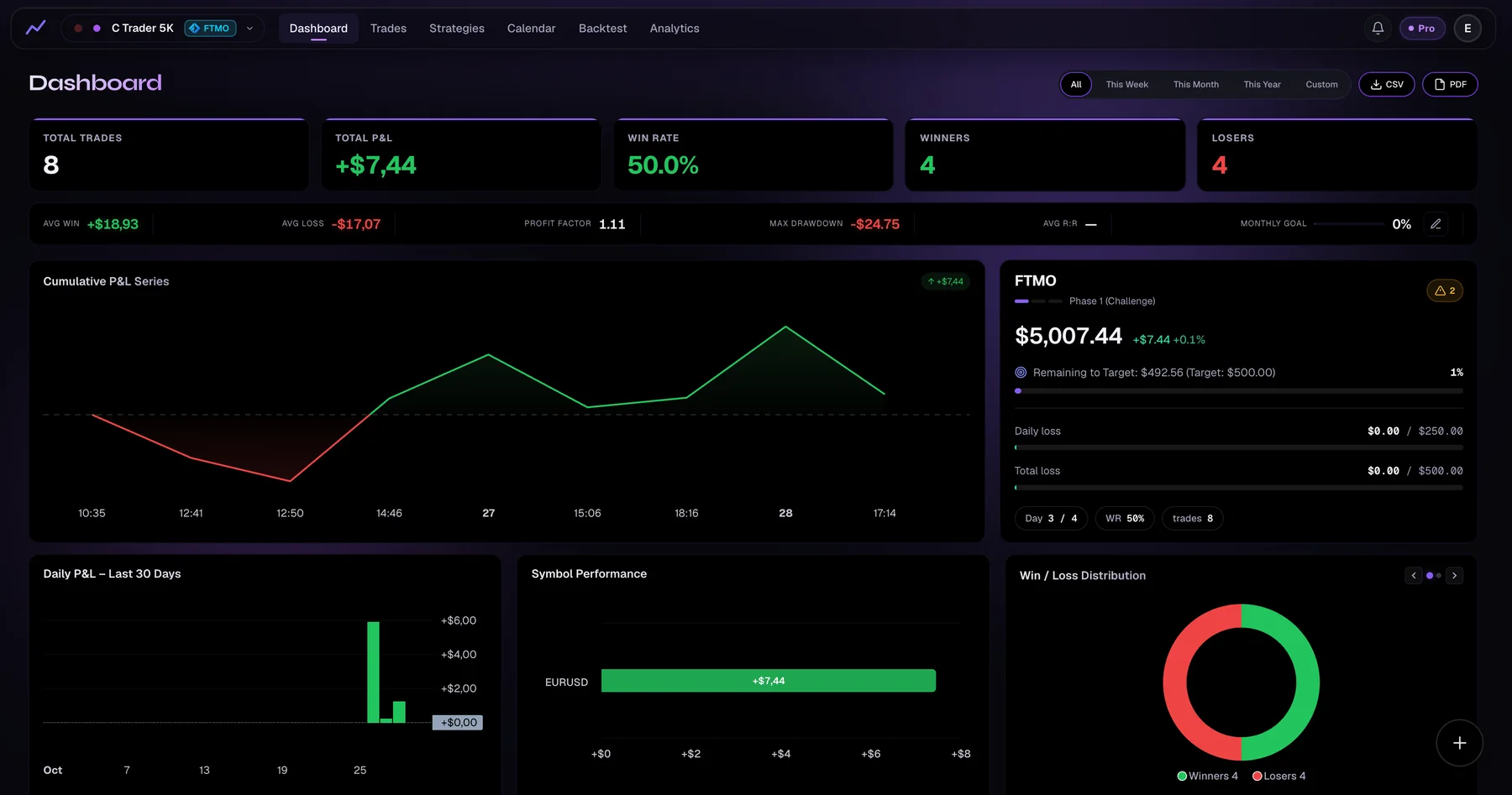
Your whole account at a glance.
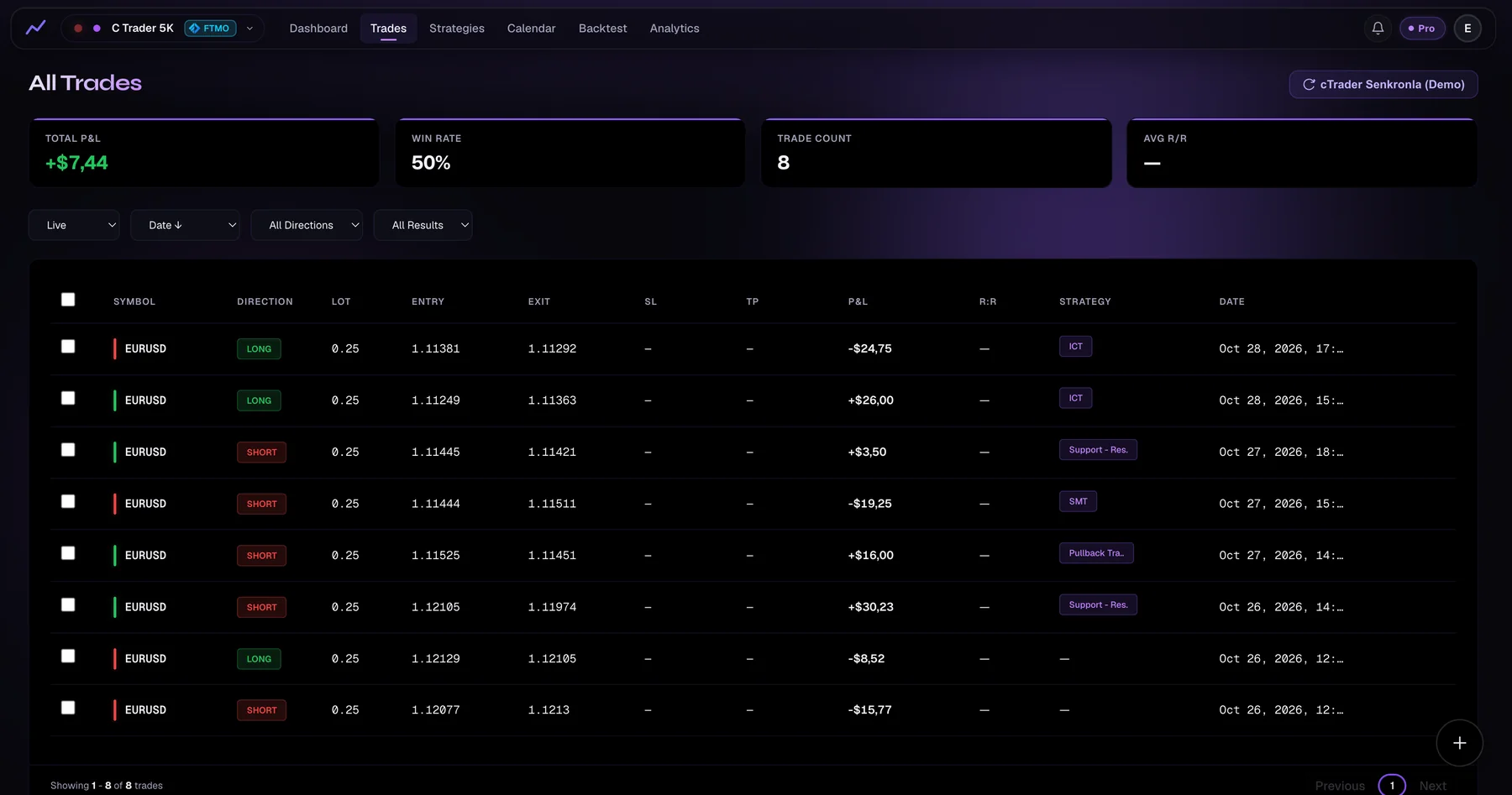
Every trade, logged and sorted.
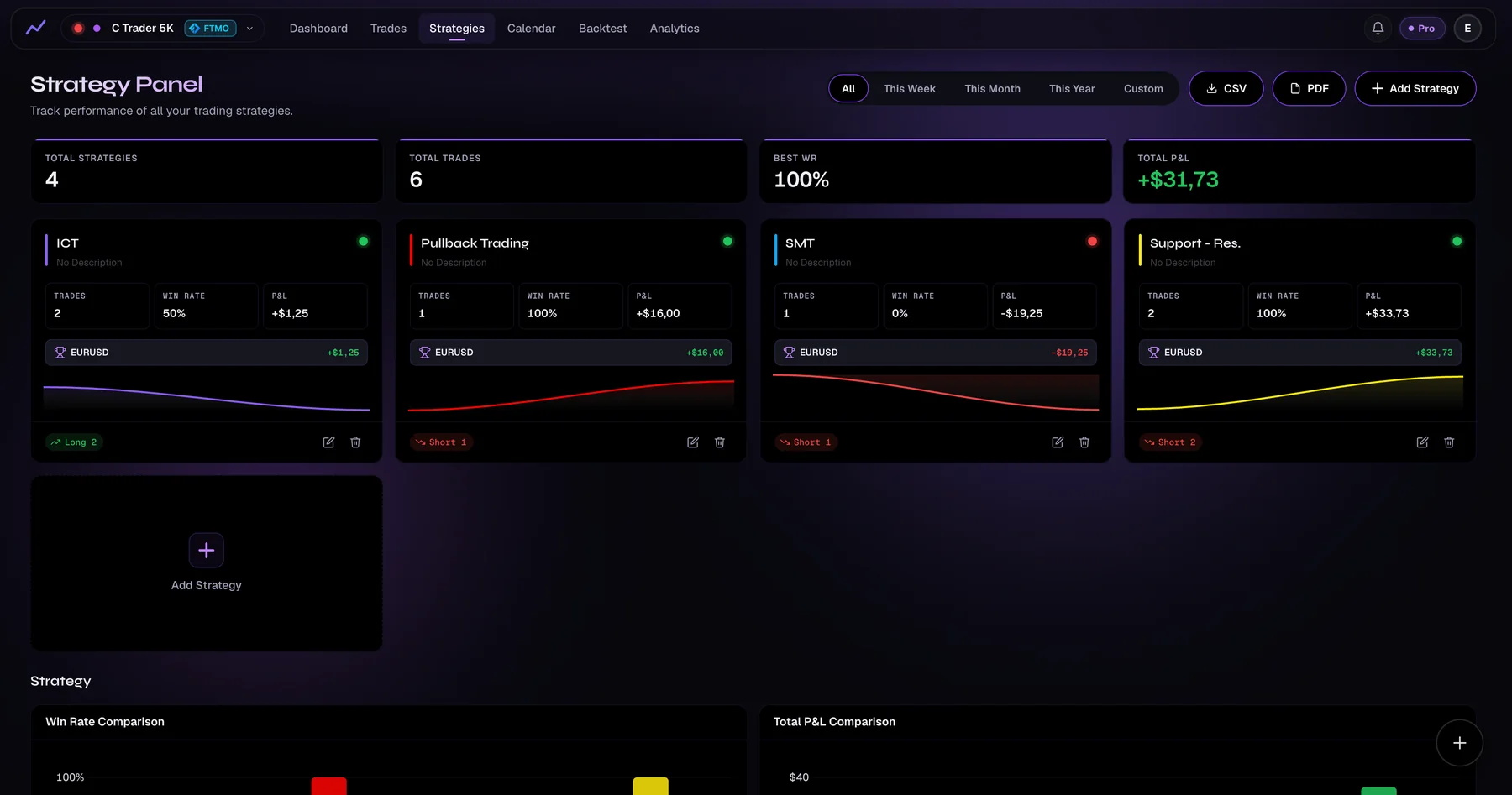
See which strategy actually pays.
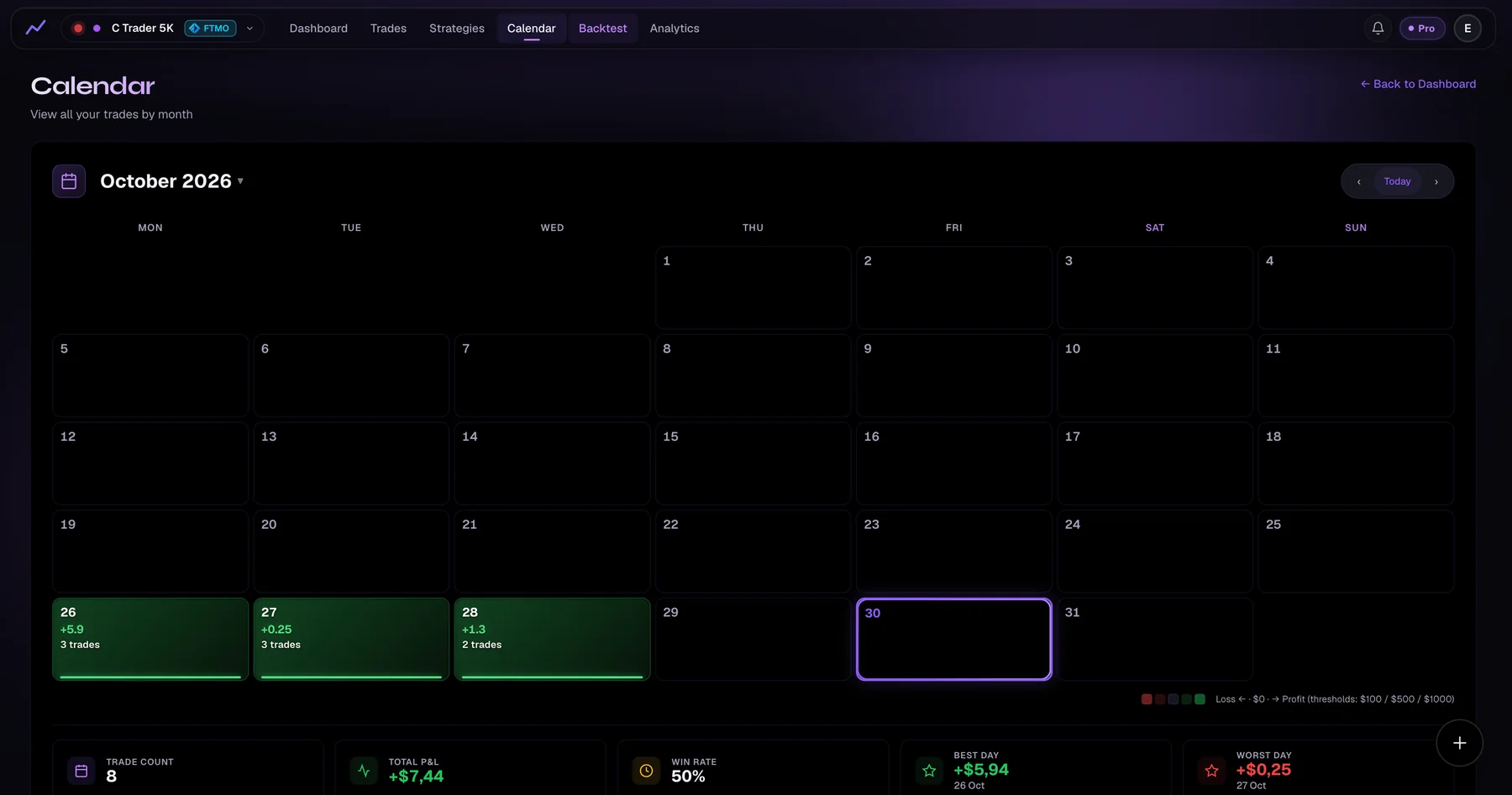
Your month, day by day.
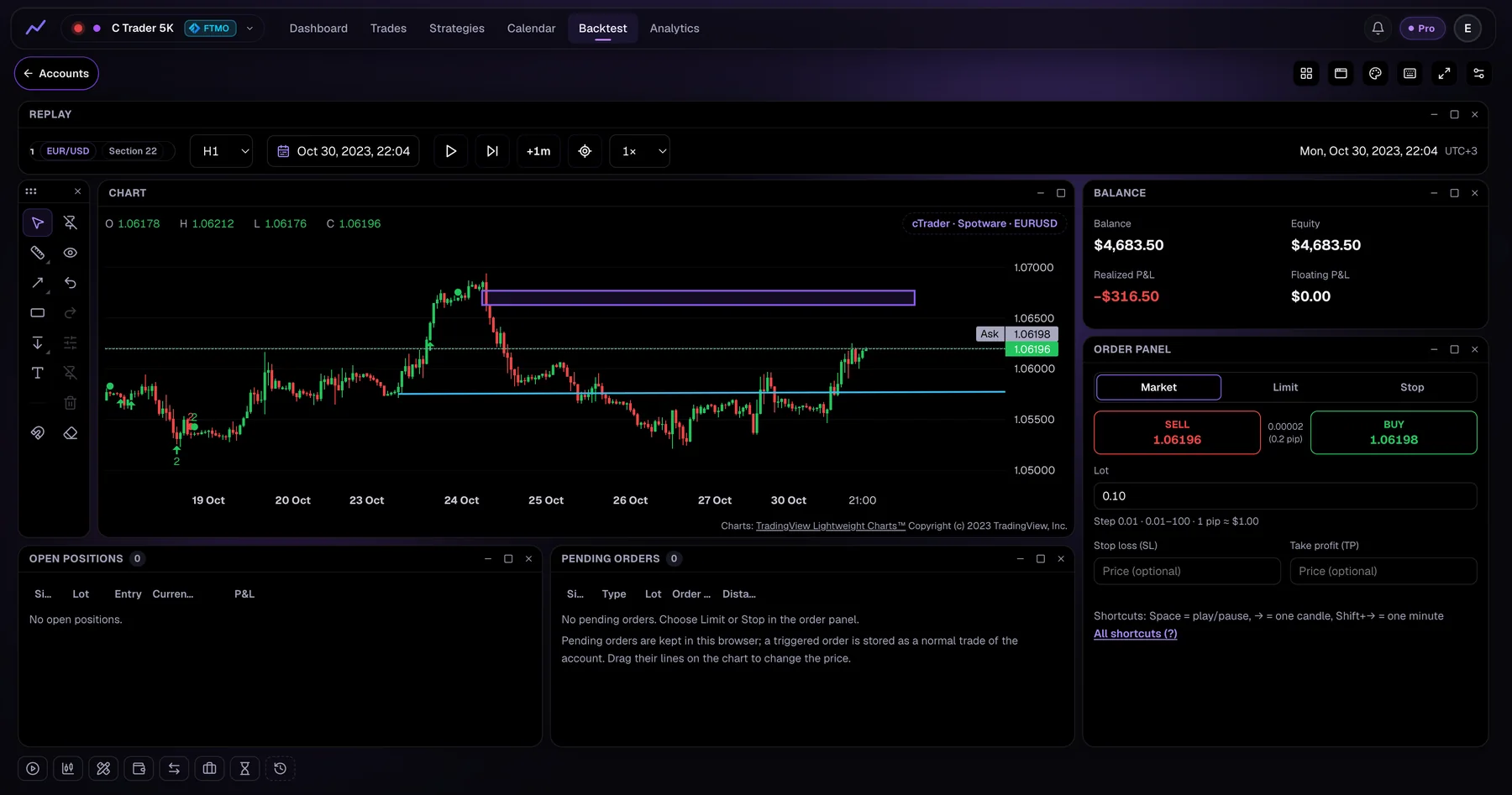
Replay the market, candle by candle.
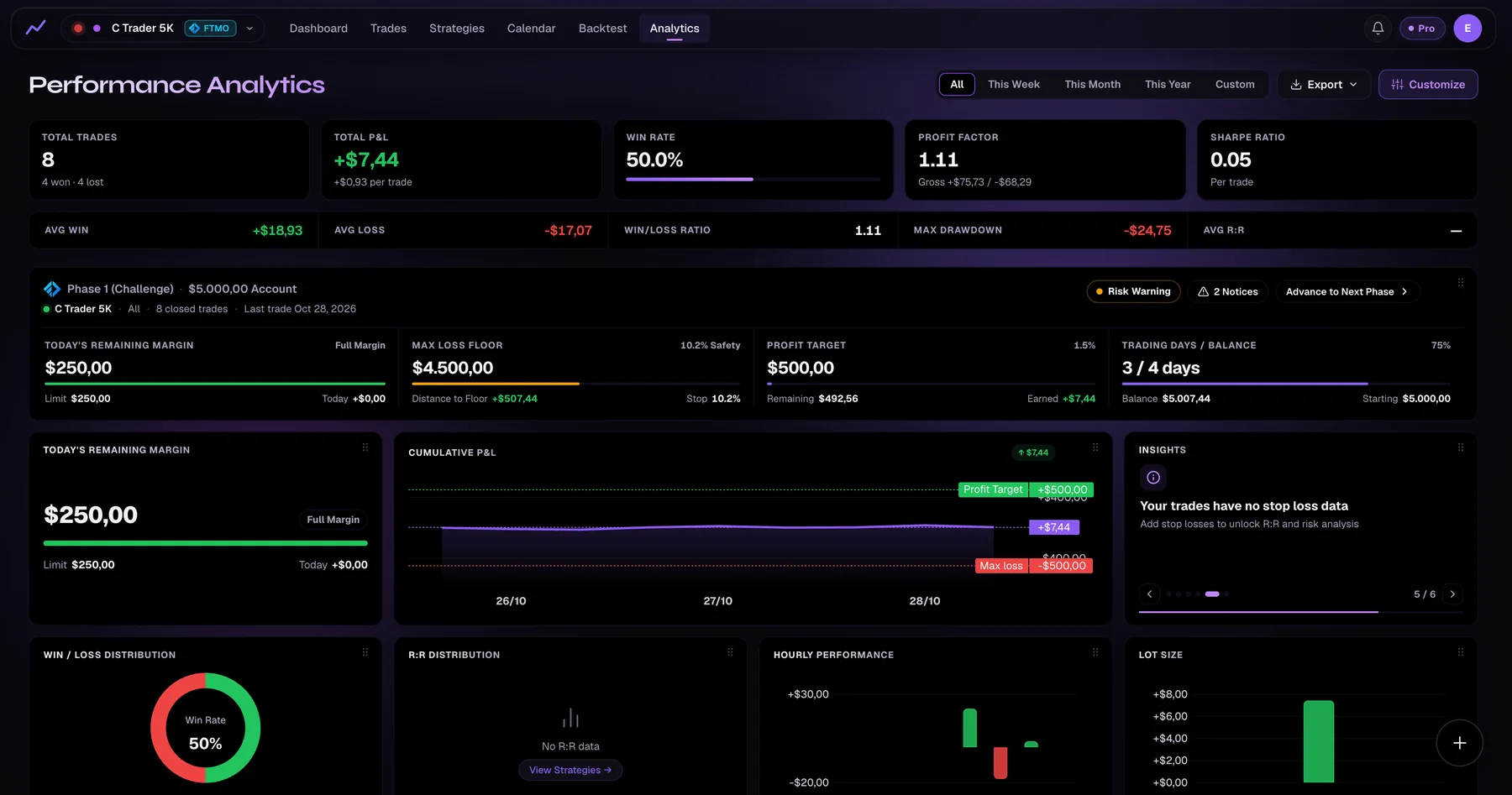
Know your edge, in numbers.
Journal, analytics, strategies and backtest in one app.


IMPORT FROM YOUR BROKER OR PLATFORM
MetaTrader 4/5 AUTO-SYNC SOONcTrader AUTO-SYNCBinanceBybitInteractive BrokersXTBOANDACSV & Excel
cTrader syncs automatically. For the others, import a statement or CSV.
An easy way to journal your trades. Import a statement or connect cTrader and you're done.
Try for freeDASHBOARD
Your whole trading month on one screen.
Total P&L, win rate, cumulative curve, best and worst trades, and your monthly goal.
CTRADER SYNC
Connected · read-only
Closed positions land in your journal automatically. We never place or close orders.
Tags & strategies
Label every trade with your setup, session and mistakes.
Screenshots & notes
Keep the chart and the reasoning next to the result.
Overtrade alerts
Daily trade and loss limits that warn you the moment you cross them.
Multiple journals
Separate live, prop and practice accounts cleanly.
Analytics to understand what works. And to drop what only feels right.
View all metricsWin rate
68.7%
Profit factor
8.71
Payoff ratio
3.98x
Avg win
+$302.99
Max drawdown
−$609.04
Expectancy
+$184.15
Cumulative P&L
Your equity curve, filtered by any tag, symbol or period.
Strategy comparison
Win rate and P&L curves of each setup side by side.
Day & session breakdown
Find the hours and days that cost you money.
Best & worst trades
Learn from the outliers instead of forgetting them.
Go back in time, candle by candle. Practice on synthetic data or replay your own cTrader charts.
Try a backtest01
Pick your data
Start instantly on Wawe’s synthetic data, or connect cTrader for real candles up to the previous day.
02
Replay and trade
Step candle by candle or play at up to 10×. Place simulated buy and sell orders with lot size, stop loss and take profit. Nothing is sent to your broker.
03
Review in your journal
Every trade is saved to the linked journal. See its stats separately or combined with live trading.
Pass the challenge. Watch every prop firm rule in real time.
Daily loss, max drawdown and profit target, tracked against your firm's rule set. Overtrade alerts stop the spiral before it starts.
FTMOFundedNextTopstepFunding PipsThe 5%ersE8 MarketsApex TraderAlpha Capital
FTMO · 2-Step · $100Kexample
Daily loss limit1.8% / 5%
Max drawdown7.6% / 10%
Profit target6.2% / 10%
Max drawdown at 76% of limit. 2.4% left.
Why traders journal and backtest
01
Memory lies, data doesn’t
A journal shows which setups actually pay, not the ones that feel good.
02
Practice is cheaper than losses
Backtest replay lets you rehearse a setup a hundred times before risking money.
03
Rules protect funded accounts
Tracking drawdown and daily loss keeps a bad day from ending a challenge.
YOUR DATA, YOUR RULES
Your trading data stays yours.
We never share your data with third parties. Wawe is not a broker and never trades on your accounts. Your trades are stored only on the secure infrastructure we run Wawe on.
Fair pricing. Backtest, prop tracking and cTrader sync on every plan.
STARTER
$0
Everything you need to start journaling.
Unlimited trade logging & calendar
CSV & broker import
Core analytics
1 backtest account
1 prop firm rule tracker
cTrader auto-sync
PROMost popular
$1299 / month / year
For traders running several accounts and strategies.About $8.25 a month, 2 months free.
Everything in Starter
Up to 10 backtest accounts
Up to 10 prop firm rule trackers
Strategy comparison & advanced analytics
Overtrade & daily loss alerts
Customizable dashboard charts
Frequently asked questions
Is Wawe Journal free?
Yes. The free Starter plan covers everything beginner and intermediate traders need to journal and review their trades. When you’re ready to go deeper, Pro adds more backtest and prop firm accounts plus advanced analytics.
Where does backtest data come from?
You have two options. Wawe’s own synthetic data set lets you start practicing instantly. If you want real market data, connect your cTrader broker and practice on real candles that are up to date to the previous day (1-day delay).
Do backtest trades affect my real stats?
Only if you want them to. Backtest trades are saved to the journal you link, and you decide how to view them: as a separate journal with its own stats, or combined with your live trading.
Can Wawe trade on my account?
No. Wawe is not a broker, so it never places trades on your real accounts. The only orders you place in Wawe are simulated ones in backtest practice accounts. Connect your real broker accounts to import your history, and use Sync to pull in your latest trades in seconds.
Which brokers and platforms are supported?
Automatic sync is live for cTrader today.
You can also import statements from MetaTrader 4/5, TradingView, Binance, Bybit, Interactive Brokers, XTB, OANDA or any CSV/Excel file.
Auto-sync for NinjaTrader, the MetaTrader series and more is on the way. We add each integration only once it is error-free, because in trading there is no room for wrong numbers.
Is my data private?
Yes. We never share your data with third parties. Your trades, broker connections and account data are stored only with the secure infrastructure providers we run Wawe on. Read our privacy policy →